How to Redeem STAND OUT Codes on Roblox
Follow Storyline #2 to Iko Iko, get the Phone from Meryl Mei Qi, and redeem a code in Gifts on PC or mobile.
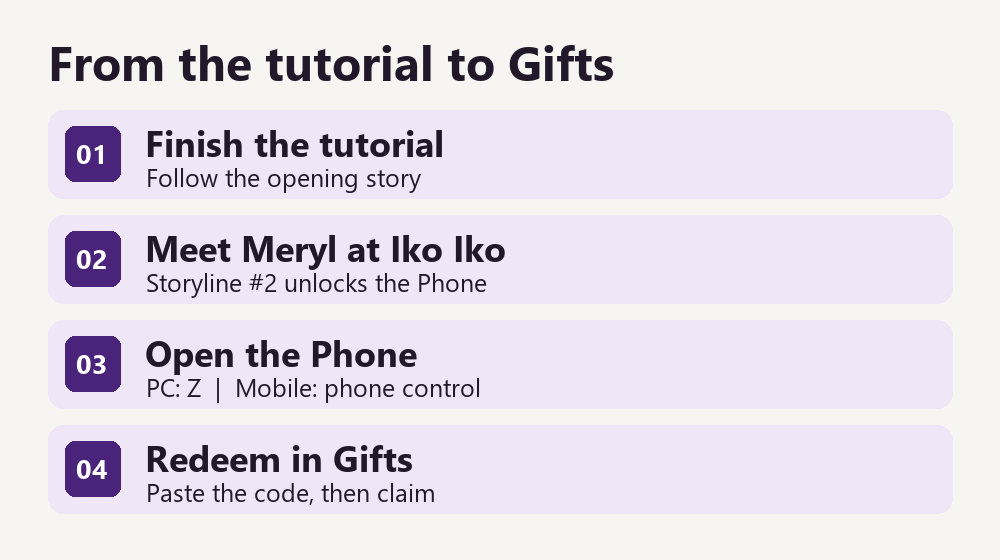
Unlock the Phone and redeem a code
- Join the Studio Umbra: Europa group. Sign in with the Roblox account you plan to redeem on, join the developer group, and launch the STAND OUT experience. Check the creator name on the game listing before entering.
- Go to Iko Iko after the opening tutorial. Follow the story objective Meet Meryl Mei Qi, listed as Storyline #2 on the official board. Enter Iko Iko and talk to Meryl inside. Accept the briefing to receive the Phone. Storyline #2 reference
- Open the Phone, then Gifts. Press Z on PC. On mobile, tap the on-screen phone control once it is available, then tap Gifts. If you cannot find the control, return to the story objective and check that Meryl gave you the Phone. Mobile controls reference
- Paste, redeem and claim. Copy the full code from the active table. Paste it into the Gifts code field, select Redeem, then select Claim if prompted. Check your inventory for arrows and your balance for Dalas.
Use the same story route on both PC and mobile. The controls differ once the Phone is unlocked. On a touch device, open the Phone through its on-screen control and use the device’s paste menu in the code field.
Check a failed redemption
Start with the status on this page. A fresh-server requirement describes the age of the server instance, rather than your character or Roblox account. If you keep landing in the same instance, use the Roblox experience’s Servers list to try a different public server after the patch. A low player count alone cannot tell you when that server started.
If the code still fails, copy it again to avoid a trailing space and check the developer group on the same account. If Gifts opens and the game says you already claimed the reward, check what you received before spending an arrow. A single invalid-code message can have several causes, so it does not establish an expiry by itself.
Use the game’s response to narrow down the problem. If you cannot open Gifts, resolve the Phone unlock first. If Gifts opens but does not accept the code, use the status and server information on the homepage.
Copy a code from the homepage · Choose an arrow for your target Stand